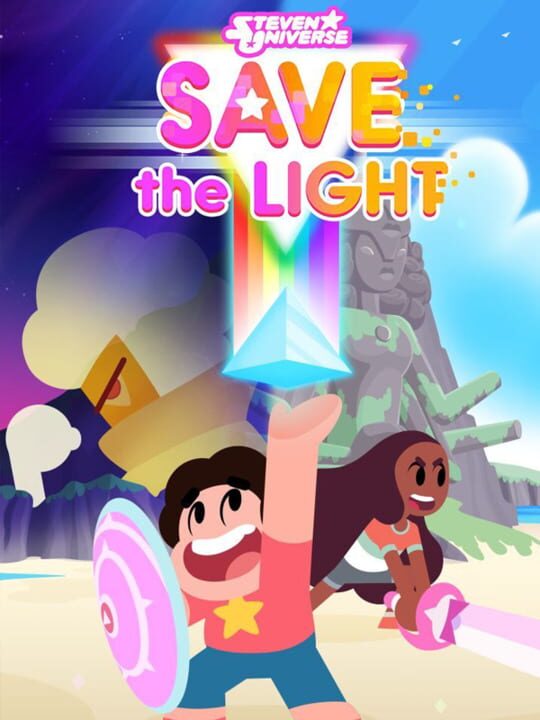
A Platform game by Grumpyface Studios, released in 2017
Steven Universe: Save the Light is being developed for consoles and is planned for release Summer 2017. It has an original story with a customizable party of 4 characters and uses turn-based combat. It is also a direct sequel to the mobile game, Attack the Light. Join the Crystal Gems on the ultimate quest! A mysterious new Gem has stolen a powerful weapon. Only Steven and his friends have what it takes to stop her. “Save the Light” is a unique RPG hybrid that combines real-time and turn-based combat.
Current lowest price for Steven Universe: Save the Light PC key. Verified daily.
⚠️Unable to fetch store prices for Steven Universe: Save the Light.Please try again later.
The official download size for Steven Universe: Save the Light is 9 GB. Based on current hardware prices, this installation consumes approximately $0.54 worth of SSD storage space.
File Size
Est. SSD Cost
Estimated Time to Install
12 mins
Live player count and server population analysis.
There are currently 1 people playing Steven Universe: Save the Light, indicating a niche or private community. Coordinate via Discord for best results.
Manual backup locations for PC, Mac, and Linux.
SteamOS and Linux Proton performance analysis.
Don't let the "Unsupported" tag fool you. While Valve hasn't officially verified Steven Universe: Save the Light, ProtonDB users report it runs perfectly (Gold/Platinum rating). You may need to force a specific Proton version.
PC system requirements - Minimum vs Recommended specs.
To run Steven Universe: Save the Light smoothly, your PC needs at least 8 GB RAM RAM and a NVIDIA GTX 960 or equivalent with 2 GB VRAM or equivalent GPU. Plan for 9 GB of storage.
Aggregated critic scores and player sentiment analysis.
Steven Universe: Save the Light has struggled to impress critics, sitting at a low score of 53. Common complaints cite technical issues or gameplay flaws. Only recommended for die-hard fans of the genre.
Discover more games sharing similar genres.
