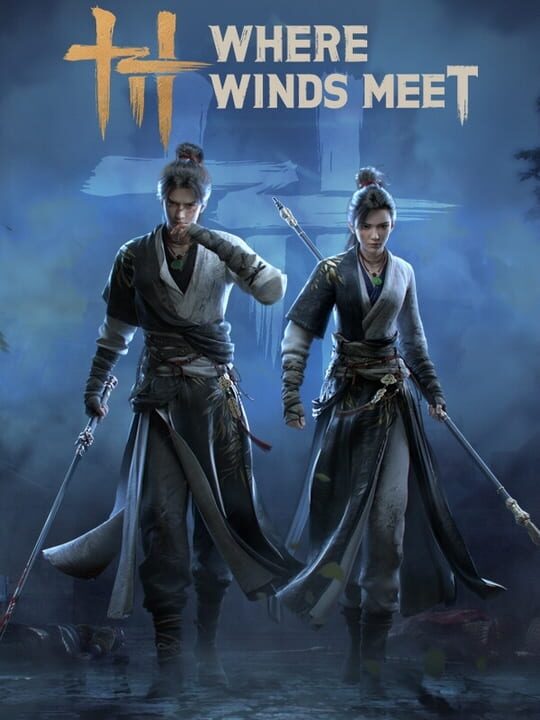
A Role-playing (RPG) game by Everstone Studio, released in 2024
Where Winds Meet is a free-to-play wuxia action-adventure RPG set in China during the Five Dynasties and Ten Kingdoms period. Players take on the role of a wandering adventurer known as a youxia, wielding a variety of weapons including swords, spears, fans, and umbrellas, each paired with distinct martial arts styles. The open world spans multiple regions and supports both single-player and multiplayer modes, with cooperative dungeons, PvP arenas, and a range of casual activities. Combat combines light and heavy attacks, martial art skills, mystic arts, and defensive maneuvers like dodges, blocks, and deflects.
Current lowest price for Where Winds Meet PC key. Verified daily.
⚠️Unable to fetch store prices for Where Winds Meet.Please try again later.
The official download size for Where Winds Meet is 16 GB. Based on current hardware prices, this installation consumes approximately $0.96 worth of SSD storage space.
File Size
Est. SSD Cost
Estimated Time to Install
21 mins
Live player count and server population analysis.
There are currently 7,536 people playing Where Winds Meet, placing it in the top 5% of active games. The community is alive and well.
Manual backup locations for PC, Mac, and Linux.
SteamOS and Linux Proton performance analysis.
Don't let the "Unsupported" tag fool you. While Valve hasn't officially verified Where Winds Meet, ProtonDB users report it runs perfectly (Gold/Platinum rating). You may need to force a specific Proton version.
PC system requirements - Minimum vs Recommended specs.
To run Where Winds Meet smoothly, your PC needs at least 32 GB RAM RAM and a RTX 2070 SUPER / RX 6700 XT / ARC A750 or equivalent GPU. Plan for 16 GB of storage.
Aggregated critic scores and player sentiment analysis.
Where Winds Meet has struggled to impress critics, sitting at a low score of 55. Common complaints cite technical issues or gameplay flaws. Only recommended for die-hard fans of the genre.
Discover more games sharing similar genres.
