GamesOA Logo
GamesOver Analyzed
⌘K

GamesOA © 2026

The ultimate PC game compatibility database.

AboutPrivacy PolicyTerms of ServiceContact
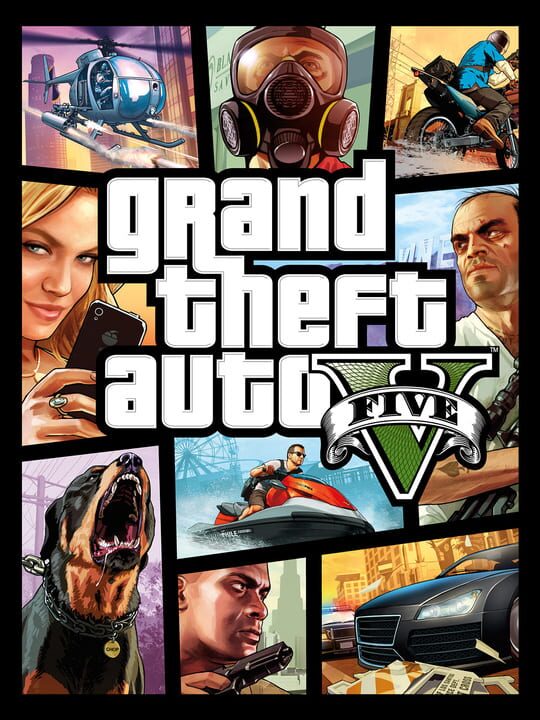
Grand Theft Auto V cover

Grand Theft Auto V

A Shooter game by Rockstar North, released in 2013

88/100🟢Very Healthy🥇Proton GoldPlayStation 3PlayStation 4PC (Microsoft Windows)

Grand Theft Auto V is a vast open world game set in Los Santos, a sprawling sun-soaked metropolis struggling to stay afloat in an era of economic uncertainty and cheap reality TV. The game blends storytelling and gameplay in new ways as players repeatedly jump in and out of the lives of the game’s three lead characters, playing all sides of the game’s interwoven story.

Single playerMultiplayerCo-operative

Buy Grand Theft Auto V - Best Price

Current lowest price for Grand Theft Auto V PC key. Verified daily.

Price unavailable
Real-time Grand Theft Auto V deals

⚠️Unable to fetch store prices for Grand Theft Auto V.Please try again later.

Grand Theft Auto V Download Size

The official download size for Grand Theft Auto V is 125 GB. Based on current hardware prices, this installation consumes approximately $7.50 worth of SSD storage space.

Heavy Install

File Size

125GB

Est. SSD Cost

$7.50USD
100 Mbps
My Internet Speed100 Mbps
Quick Presets

Estimated Time to Install

2h 50m

Is Grand Theft Auto V Dead?

Live player count and server population analysis.

🟢Very Healthy
48.6KPlayers Online

There are currently 48,613 people playing Grand Theft Auto V, which is a very healthy population. You will find matches instantly.

Current Activity24h Peak: 58.3K
Estimated Match Wait: Very Fast (< 30s)
Live Data from SteamAPI

Where is the Grand Theft Auto V save file?

Manual backup locations for PC, Mac, and Linux.

Steam Cloud Supported
Copy
%USERPROFILE%\AppData\Local\GrandTheftAutoV\Saved\SaveGames

How to backup manually on Windows

  1. Press Win + R to open the Run dialog.
  2. Paste the path above and press Enter.
  3. Locate the save files (usually .sav, .json, or similar).
  4. Copy the entire folder to a backup location.
Copy
~/Library/Application Support/GrandTheftAutoV/Saves

How to backup manually on Mac

  1. Open Finder and press ⌘ + Shift + G.
  2. Paste the path above and click Go.
  3. Locate the save files in the folder.
  4. Duplicate the folder to create a backup.
Copy
~/.local/share/GrandTheftAutoV/Saves

How to backup manually on Linux

  1. Open a terminal and use cd to navigate to the path.
  2. Or use your file manager and press Ctrl + L to enter the path.
  3. Locate the save files (.sav, .json, or game-specific format).
  4. Copy the folder with cp -r or your file manager.
Source: PCGamingWiki ↗

Is Grand Theft Auto V Steam Deck Compatible?

SteamOS and Linux Proton performance analysis.

Valve Official🚫Unsupported
Community Rating🥇 Proton Gold

Community Verdict: Playable!

Don't let the "Unsupported" tag fool you. While Valve hasn't officially verified Grand Theft Auto V, ProtonDB users report it runs perfectly (Gold/Platinum rating). You may need to force a specific Proton version.

Confidence: High (Many Reports)
See 2246 user configs ↗

Can I Run Grand Theft Auto V?

PC system requirements - Minimum vs Recommended specs.

To run Grand Theft Auto V smoothly, your PC needs at least 8 GB RAM RAM and a NVIDIA GTX 660 2GB / AMD HD 7870 2GB or equivalent GPU. Plan for 125 GB of storage.

Minimum1080p / 30 FPS
  • 💻
    OSWindows 10 64 Bit
  • ⚡
    CPUIntel Core 2 Quad CPU Q6600 @ 2.40GHz (4 CPUs) / AMD Phenom 9850 Quad-Core Processor (4 CPUs) @ 2.5GHz
  • 🧠
    RAM4 GB RAM
  • 🎮
    GPUNVIDIA 9800 GT 1GB / AMD HD 4870 1GB (DX 10, 10.1, 11)
  • 💾
    Storage125 GB available space
Recommended1440p / 60 FPS
  • 💻
    OSWindows 10 64 Bit
  • ⚡
    CPUIntel Core i5 3470 @ 3.2GHz (4 CPUs) / AMD X8 FX-8350 @ 4GHz (8 CPUs)
  • 🧠
    RAM8 GB RAM
  • 🎮
    GPUNVIDIA GTX 660 2GB / AMD HD 7870 2GB
  • 💾
    Storage125 GB available space
Download Size
125 GBMassive

High FPS Warning

Engine limitations detected for Grand Theft Auto V.

The "140 FPS" Stutter Bug

The RAGE engine audio synchronization breaks above 140 FPS, causing heavy micro-stuttering. The engine also has a hard cap at 188 FPS.

Engine Hard Cap: 188 FPSRecommended Cap: 140 FPS
Affected systems: Audio sync, Physics

How to Skip Grand Theft Auto V Intro Videos

Remove startup logos for faster game loading.

Delete or rename these files to skip the intro videos:

Target Directory
Copy
GTAV/mods/x64a.rpf/movies/
Files to Remove
  • rockstar_logos.bikDelete
Requires OpenIV to access .rpf archives.

Grand Theft Auto V VR & Ultrawide Support

Display and immersion compatibility check.

VR Support

Mod Required

Requires R.E.A.L. VR or Vorpx mod.

Online mode / BattleEye must be disabled for VR mods.

Ultrawide (21:9)

Native Support

Gameplay works at 21:9. Cutscenes are pillarboxed (black bars).

Gameplay is perfect at 21:9. Cutscenes have black bars.

Is Grand Theft Auto V Good?

Aggregated critic scores and player sentiment analysis.

88
Rated 88 out of 100
Generally Favorable27 Verified Reviews

The Verdict

Based on 27 critic reviews, Grand Theft Auto V has received generally positive feedback. With a solid score of 88, it stands out as a strong entry in the shooter category, though it may have minor flaws.

Other games you may like

Discover more games sharing similar genres.

2004

Grand Theft Auto: San Andreas

View Details
2002

Grand Theft Auto: Vice City

View Details
2008

Grand Theft Auto IV

View Details
2001

Grand Theft Auto III

View Details
2002

Mafia

View Details
2010

Mafia II

View Details
2011

Saints Row: The Third

View Details
2016

Mafia III

View Details