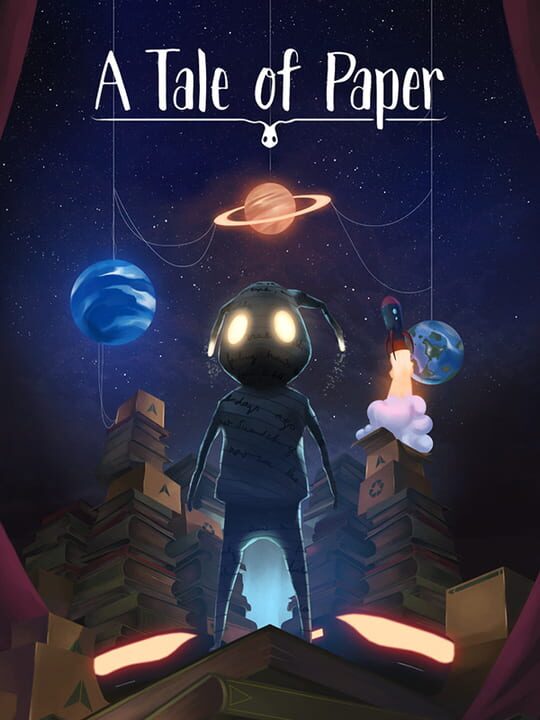
A Platform game by Open House Games, released in 2020
You play as Paperboy, an origami figure that mysteriously comes to life and now it must embark a journey to fulfill the dream of your creator. Face the dangers that surround you in this world that is completely unknown to you. You will find iconic enemies like roombas and or a giant spider. The environment will also be a part in this dangerous world with such things as water creating interesting obstacles for our character and the fact that you cannot attack will make you approach dangerous situations in a wiser way.
Current lowest price for A Tale of Paper PC key. Verified daily.
⚠️Unable to fetch store prices for A Tale of Paper.Please try again later.
The official download size for A Tale of Paper is 4 GB. Based on current hardware prices, this installation consumes approximately $0.24 worth of SSD storage space.
File Size
Est. SSD Cost
Estimated Time to Install
5 mins
Live player count and server population analysis.
There are currently 0 people playing A Tale of Paper, Data pending.
Manual backup locations for PC, Mac, and Linux.
SteamOS and Linux Proton performance analysis.
Don't let the "Unsupported" tag fool you. While Valve hasn't officially verified A Tale of Paper, ProtonDB users report it runs perfectly (Gold/Platinum rating). You may need to force a specific Proton version.
PC system requirements - Minimum vs Recommended specs.
To run A Tale of Paper smoothly, your PC needs at least 8 GB RAM RAM and a Nvidia GPU GeForce GTX 660 or equivalent GPU. Plan for 4 GB of storage.
Aggregated critic scores and player sentiment analysis.
Based on 2 critic reviews, opinion on A Tale of Paper is divided. While it offers some unique platform mechanics, the score of 60 suggests inconsistent execution. We recommend checking gameplay footage before buying.
Discover more games sharing similar genres.
