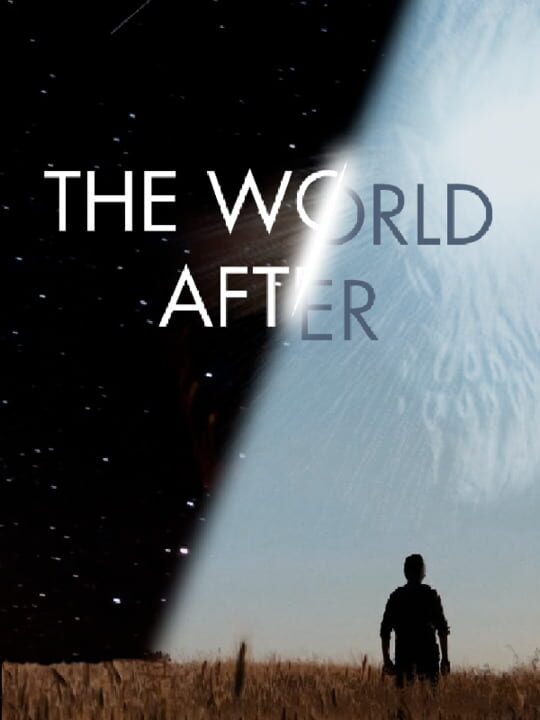
A Point-and-click game by Burning Sunset, released in 2021
Set during a pandemic lockdown in France, The World After is a FMV point & click adventure game that tells the story of a man who tries to uncover the truth behind his strange nightmares and the mystery of the village he's living in. The World After is a brand new sci-fi full-motion video point and click adventure game, created during the 2020 French pandemic lockdown by movie designers and artists. Starring Jean-Claude Dreyfus (The City of Lost Children, Delicatessen), this game is the perfect match between old-school point and click mechanics and modern cinematography technology.
Current lowest price for The World After PC key. Verified daily.
⚠️Unable to fetch store prices for The World After.Please try again later.
The official download size for The World After is 15 GB. Based on current hardware prices, this installation consumes approximately $0.90 worth of SSD storage space.
File Size
Est. SSD Cost
Estimated Time to Install
20 mins
Live player count and server population analysis.
There are currently 0 people playing The World After, Data pending.
Manual backup locations for PC, Mac, and Linux.
SteamOS and Linux Proton performance analysis.
Compatibility data for The World After is currently mixed. Check recent ProtonDB reports for specific launch commands.
PC system requirements - Minimum vs Recommended specs.
To run The World After smoothly, your PC needs at least 4 GB RAM RAM and a ATI® Radeon™ M295X @ 2GB or equivalent GPU. Plan for 15 GB of storage.
Aggregated critic scores and player sentiment analysis.
Based on 1 critic reviews, opinion on The World After is divided. While it offers some unique point-and-click mechanics, the score of 60 suggests inconsistent execution. We recommend checking gameplay footage before buying.
Discover more games sharing similar genres.