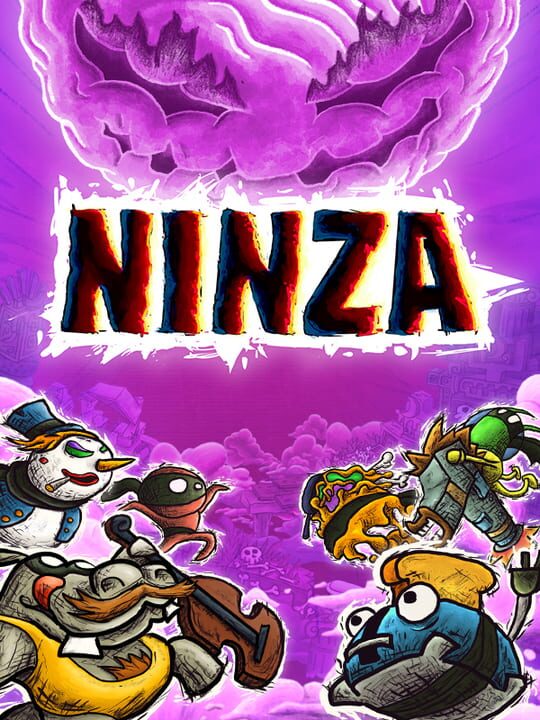
A Fighting game by Klakmioch, released in 2024
Ninza is a multiplayer fighting game like no other! Instead of directly attacking your opponents, you crush them by pushing pieces of the level. Embrace chaos and dive into an entirely new level of frenzied and creative gameplay, where the environment itself becomes both your weapon and your ennemy. Each character has a unique moveset and abilities, guaranteeing unexpected outcomes and thrilling comebacks in every battle. The game offers ample room for crafting creative strategies, tricks, and traps. But be warned, becoming a true Ninza master demands great determination. Only the boldest players can rise through the fierce competition and aspire to earn Mo0n's respect.
Current lowest price for Ninza PC key. Verified daily.
⚠️Unable to fetch store prices for Ninza.Please try again later.
The official download size for Ninza is 4 GB. Based on current hardware prices, this installation consumes approximately $0.24 worth of SSD storage space.
File Size
Est. SSD Cost
Estimated Time to Install
5 mins
Live player count and server population analysis.
There are currently 0 people playing Ninza, Data pending.
Manual backup locations for PC, Mac, and Linux.
SteamOS and Linux Proton performance analysis.
Compatibility data for Ninza is currently mixed. Check recent ProtonDB reports for specific launch commands.
PC system requirements - Minimum vs Recommended specs.
To run Ninza smoothly, your PC needs at least 8 GB RAM RAM and a Nvidia GeForce GTX 960 | AMD Radeon RX 460 or equivalent GPU. Plan for 4 GB of storage.
Aggregated critic scores and player sentiment analysis.
Based on 1 critic reviews, opinion on Ninza is divided. While it offers some unique fighting mechanics, the score of 70 suggests inconsistent execution. We recommend checking gameplay footage before buying.
Discover more games sharing similar genres.