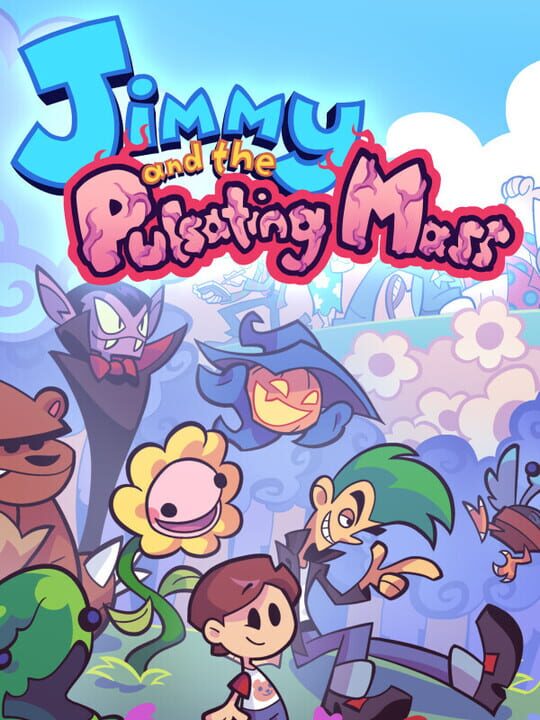
A Role-playing (RPG) game by Kasey Ozymy, released in 2018
Jimmy and the Pulsating Mass is a Japanese-style RPG made by a guy from Texas. It was very much influenced by SNES-era jRPGs, particularly Earthbound, Final Fantasy 5, and the Breath of Fire series, among others. It was also heavily influenced by Yume Nikki. The game takes place in the dream of an eight-year-old boy. When an alien entity appears and threatens his family and the stability of the dream world itself, Jimmy sets out on an adventure to save his family and eradicate the threat of the Pulsating Mass. Along the way, Jimmy will have to work with his family, confront his own shortcomings, and brave the creeping nightmares of his subconscious.
Current lowest price for Jimmy and the Pulsating Mass PC key. Verified daily.
⚠️Unable to fetch store prices for Jimmy and the Pulsating Mass.Please try again later.
The official download size for Jimmy and the Pulsating Mass is 1 GB. Based on current hardware prices, this installation consumes approximately $0.06 worth of SSD storage space.
File Size
Est. SSD Cost
Estimated Time to Install
1 mins
Live player count and server population analysis.
There are currently 1 people playing Jimmy and the Pulsating Mass, indicating a niche or private community. Coordinate via Discord for best results.
Manual backup locations for PC, Mac, and Linux.
SteamOS and Linux Proton performance analysis.
Don't let the "Unsupported" tag fool you. While Valve hasn't officially verified Jimmy and the Pulsating Mass, ProtonDB users report it runs perfectly (Gold/Platinum rating). You may need to force a specific Proton version.
PC system requirements - Minimum vs Recommended specs.
To run Jimmy and the Pulsating Mass smoothly, your PC needs at least 1 GB RAM RAM and a 1024 x 768 pixels or higher desktop resolution or equivalent GPU. Plan for 1 GB of storage.
Aggregated critic scores and player sentiment analysis.
Based on 1 critic reviews, Jimmy and the Pulsating Mass is universally acclaimed as a genre-defining masterpiece. Scoring a 90/100, it is one of the highest-rated role-playing (rpg) games available, making it an essential purchase.
Discover more games sharing similar genres.
